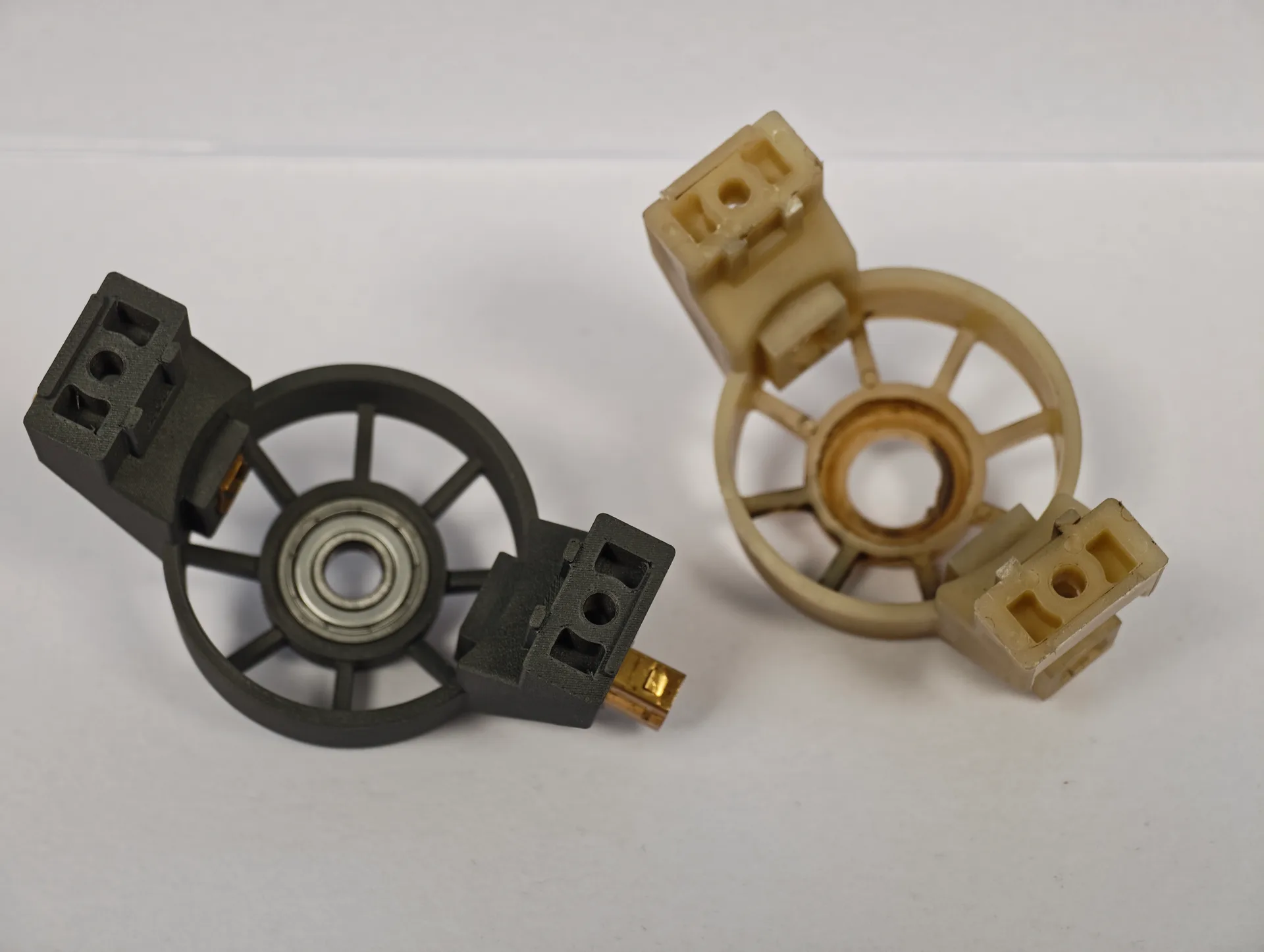
Reverse engineering
STL to parametric CAD model conversion editable again as STEP
Only have a part as an STL and need to change a dimension? We redraw it in CAD as a parametric model with dimensions — delivered as STEP, as a Fusion 360 file and with a dimensioned drawing.
- Free quote in advance
- STEP and Fusion 360 output
- Dimensioned drawing on request
- Modifications to your specification
Your contact
Vladimír Otruba
Custom 3D printing and modelling
Send us the STL and we will get back to you with a free quote.
Why convert
STL is for printing, not for editing
An STL is enough as long as you only print the part. As soon as you need to change anything or hand the part over to production, you need a real CAD model.
An STL is just a triangle mesh
It describes the surface but knows nothing about holes, walls or dimensions. Enlarging a hole or thickening a rib is practically impossible.
A parametric model knows its dimensions
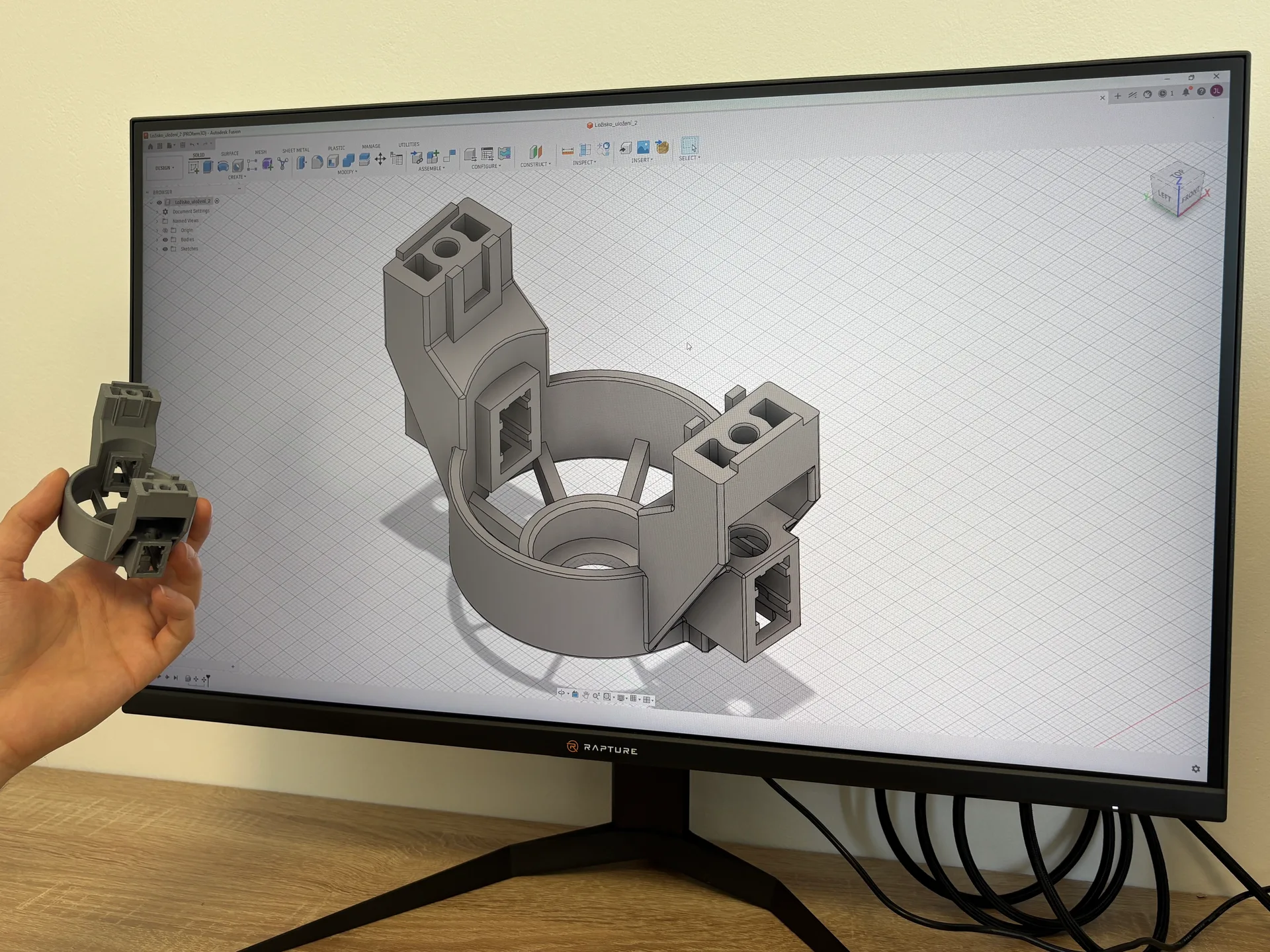
We redraw the part in CAD feature by feature. Every size is a dimension you can change later, and the model updates itself.
Priced by complexity
Every part is quoted individually
The effort varies from part to part, so we do not guess the price. We look at your file and tell you the price in advance — free of charge.
Simple part
Blocks, cylinders, holes, chamfers and fillets — brackets, covers, washers, spacers. The fastest and most affordable conversion.
Moderately complex part
Several features at once: ribs, threads, drafts, pockets, bosses, or an assembly of several parts that must fit together.
Freeform part
Freeform and organic surfaces, design shapes. The most labour-intensive option — often a hybrid is enough: functional surfaces exact, the rest closely following the mesh.
What affects the price
- The number of features and how they depend on each other
- Freeform surfaces
- Required accuracy and tolerances of functional dimensions
- STL quality — a coarse mesh or missing surfaces mean more reconstruction work
- Whether you want changes compared with the original
- Whether you have a drawing or a physical sample to measure
What you get
Data you can keep working with
We deliver the model so that anyone can open and edit it — you, your designer or your manufacturer.
STEP
A universal format any CAD program and any manufacturer can open.
Native Fusion 360 file
The model with its history and parameters (.f3d) — so you can continue working on it yourself.
Dimensioned drawing (PDF)
A drawing with the main dimensions for manufacturing, inspection or your records.
Modifications to your requirements
During the conversion we can enlarge a hole, thicken a wall or adjust the shape as you need.
How it works
From STL to parametric model in four steps
You know the price and the deadline before we start. Nothing is handed over without an approved preview.
Send the STL
Attach the file to your enquiry and tell us what the model is for. A drawing or a photo with dimensions helps.
We assess and quote
We examine the mesh and give you the price and deadline in advance — free and without obligation.
We model it and send a preview
We redraw the part as a parametric model and send you a preview to check. We incorporate your comments.
We hand over the data — or print it
You receive a STEP file, a Fusion 360 file and, on request, a dimensioned drawing. We can also print the part for you straight away.
Why PROfarm 3D
We model where the printing happens
We verify the model by printing
We model and print under one roof — a test piece is always at hand.
Preview before delivery
You approve the finished model first. We only proceed with your consent.
Your data stays with us
We process your files locally on our own server — they never go to the cloud.
FAQ
STL conversion FAQ
An automatic conversion only wraps the triangle mesh in a different format. The resulting STEP has thousands of facets, no holes or dimensions, and is no easier to edit than the original STL. A parametric model has to be redrawn.
The price depends on the complexity of the part, the quality of the STL and the accuracy required. We quote it free of charge and in advance once we have seen the file — usually the same day.
As accurate as the source data allows. We round functional dimensions to meaningful values or take them from a drawing or measure them on a sample. Freeform surfaces follow the mesh.
Yes. Tell us what you want to change — a larger hole, a thicker wall, a different mounting point — and we will build it straight into the new model.
By default STEP and a native Fusion 360 file with history and parameters. On request we add a dimensioned drawing as a PDF.
Explore more
Related services and projects
Printing, modelling and series production all under one roof — no need to piece things together from several suppliers.
Only have your part as an STL?
Send us the file and tell us what you need. We quote the conversion free of charge and in advance.